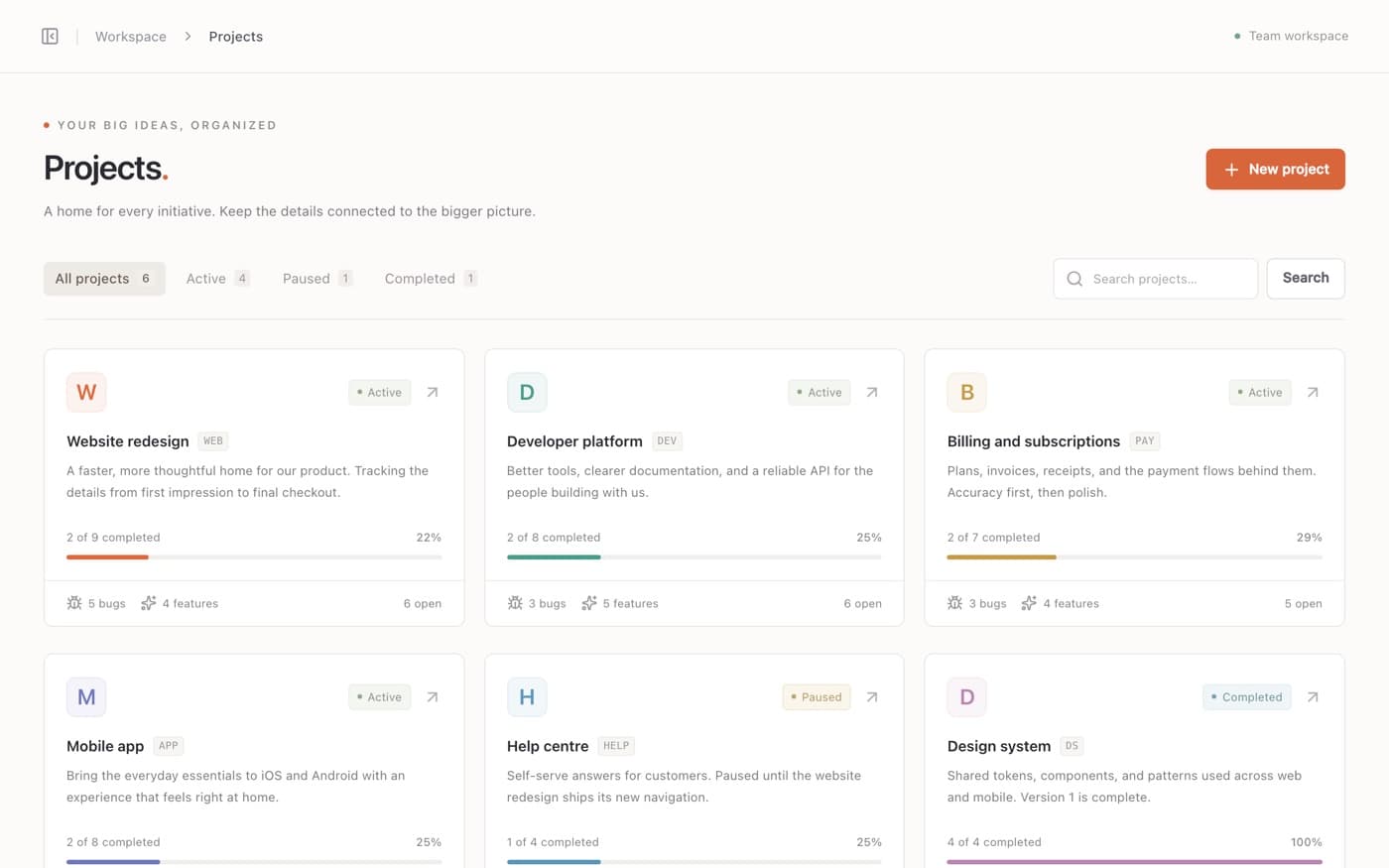
A home for every project
Each project has its own key and colour, its own issue numbers (WEB-1, WEB-2, …), a progress bar and an Active, Paused or Completed status.
Triage is a calm, self-hosted tracker for teams that ship. Projects, issues and a clear Backlog-to-Done workflow, with comments, history, members and roles, all in one SQLite file on your own server.
Demo accounts are on the sign-in page. The demo data resets every hour.

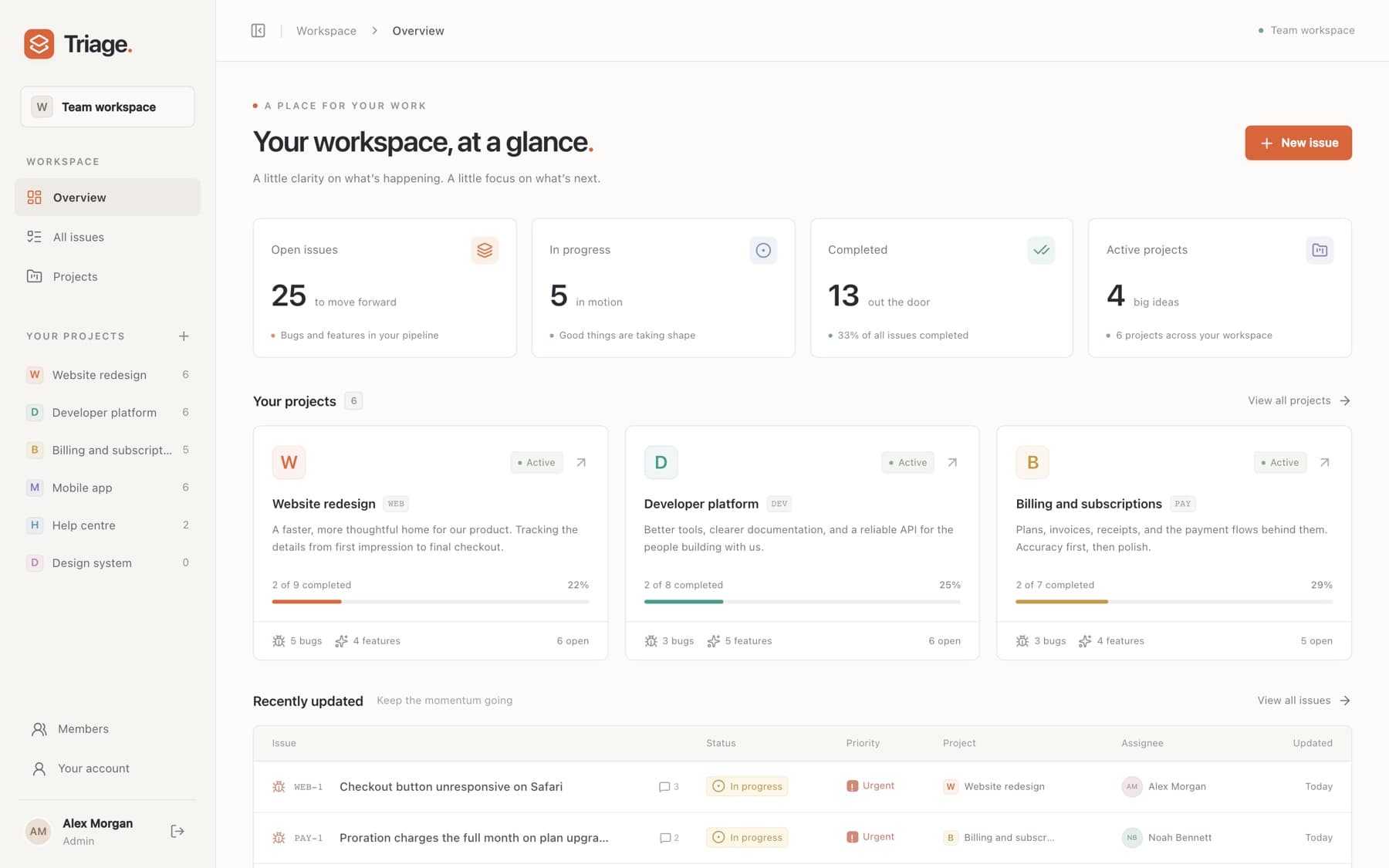
Triage keeps bug and feature tracking simple enough to use every day, with the structure to keep work moving.
Issues move from Backlog to Todo, In progress, In review and Done, or get Canceled. Change the status in one click, reopen when needed, and every move lands in the history.

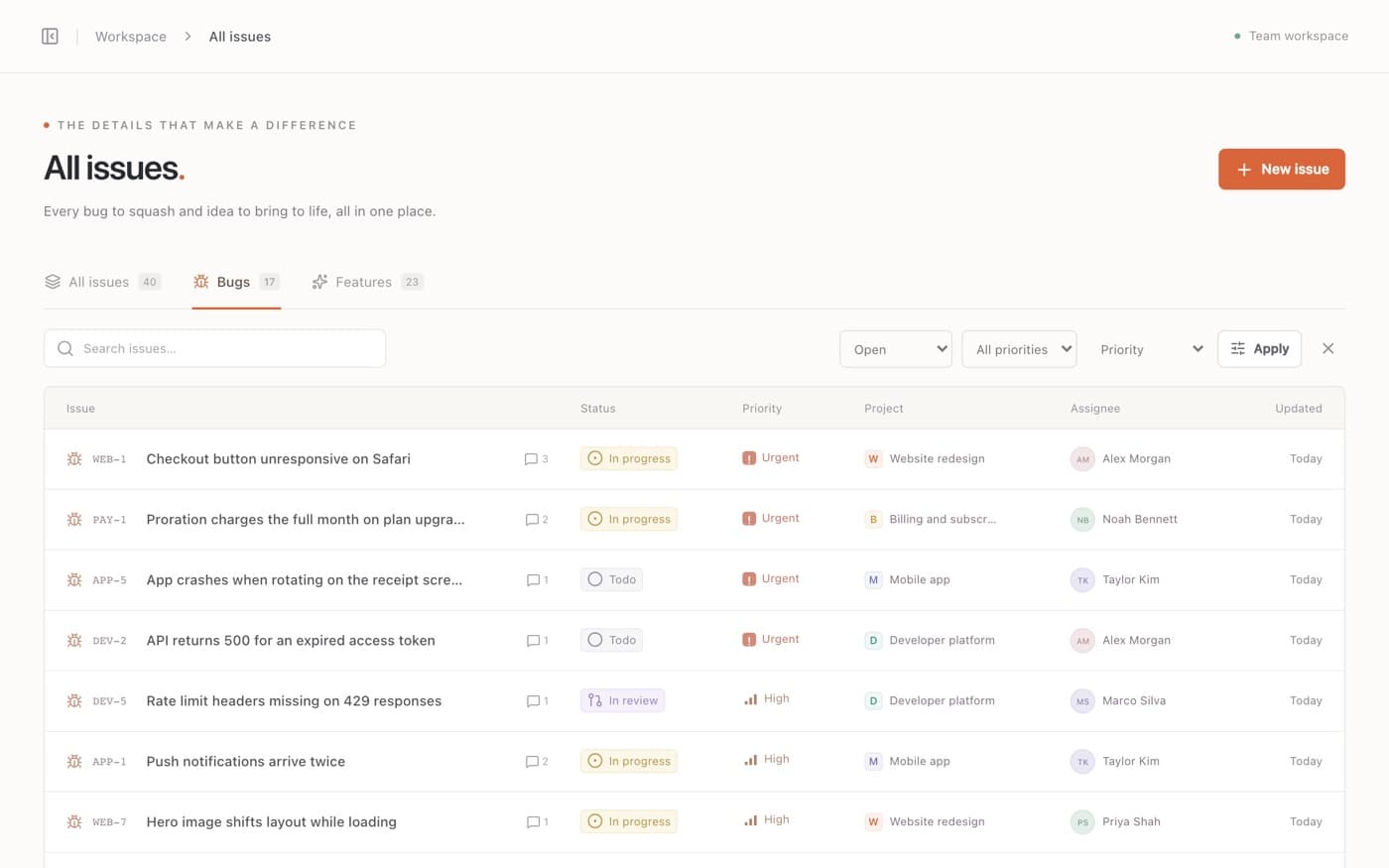
Bugs and Features tabs, status and priority filters, four sort orders and search across titles, descriptions, issue keys, projects and assignees.
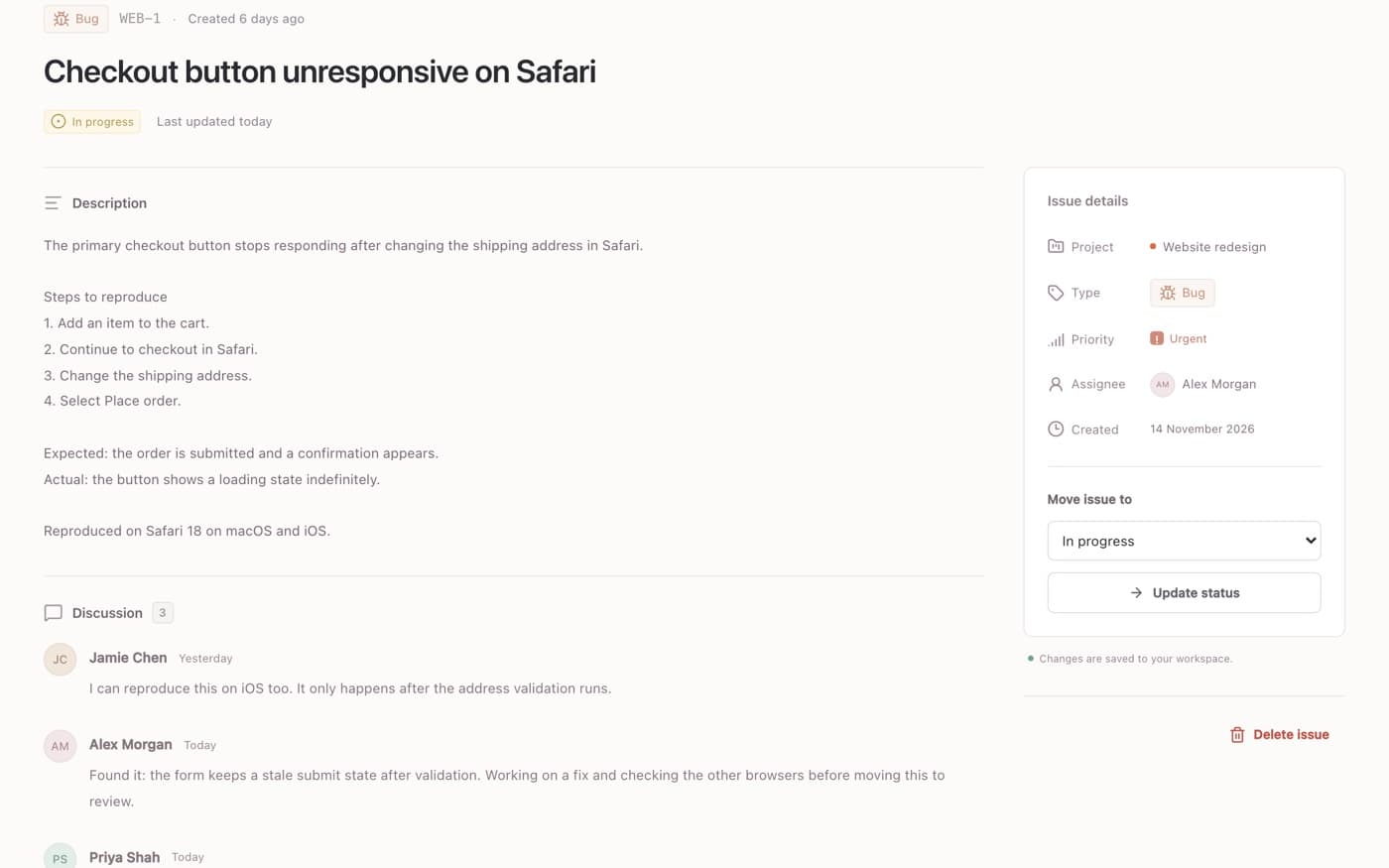
 Comments and activity history
Discuss each issue in its own thread. Triage records who created it, who moved it and who changed the priority or assignee, so the story behind a fix is never lost.
Each project has its own key and colour, its own issue numbers (WEB-1, WEB-2, …), a progress bar and an Active, Paused or Completed status.
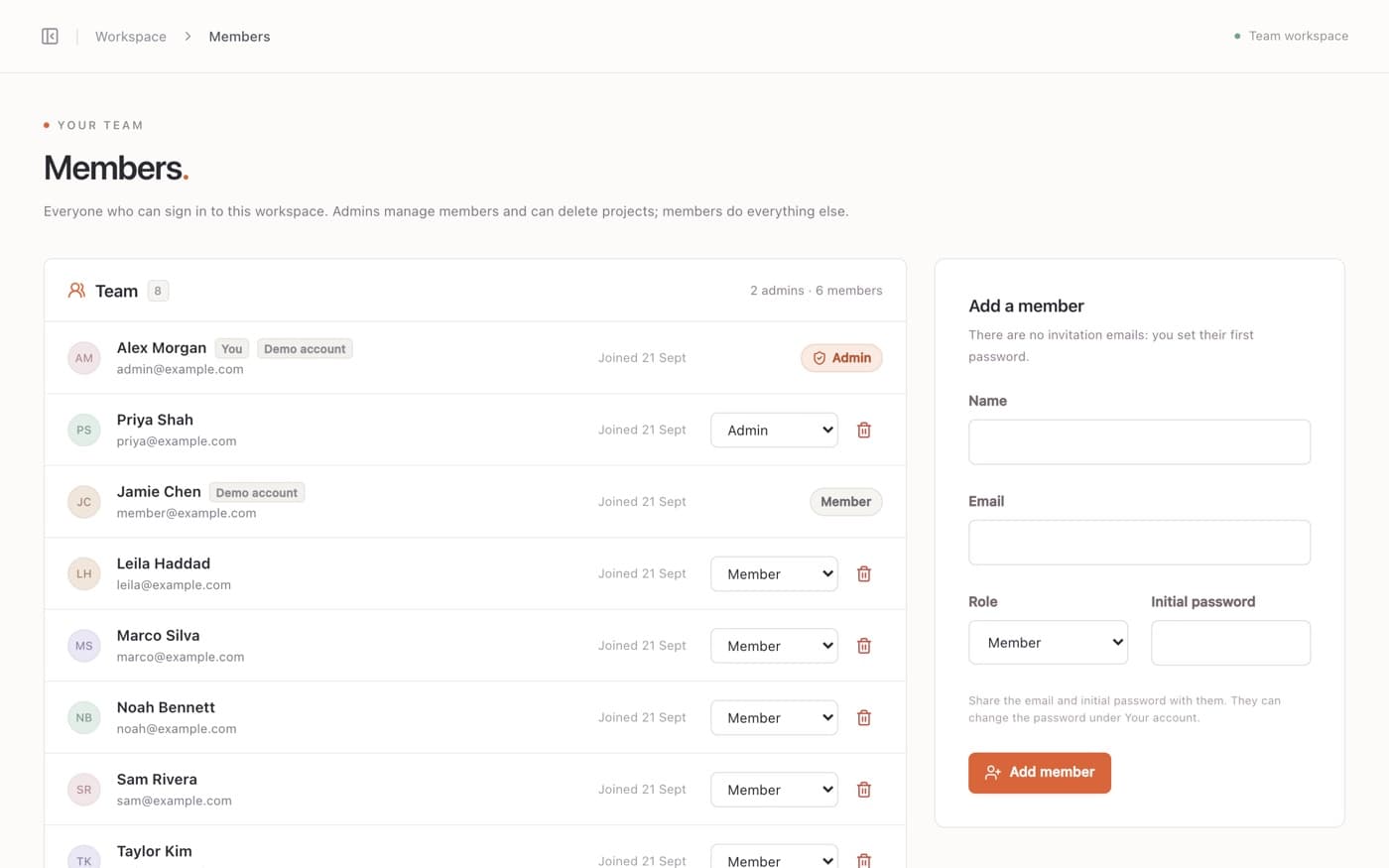
Email and password sign-in for every member. Admins add people, set roles and can delete projects; members do everything else.


Triage is one Next.js app with SQLite built into Node.js: no database server, no external APIs, no per-seat pricing. Run it anywhere with a persistent disk.
Run the Docker image, or build and start it with Node.js, on any server with a persistent disk. Put it behind HTTPS.
The first visit opens a one-time setup page. Then add your team on the Members page with an initial password each.
Create projects, file bugs and features, discuss them and move them to Done. Everyone sees the same picture.
The short version of the setup guide.
In one SQLite file on your own server (data/triage.db by default). Triage doesn't call any external service, so nothing leaves your machine.
The first visit creates an admin. Admins add members on the Members page and set their first password; members change it under Your account. There are no invitation or password-reset emails.
Admins add and remove members, change roles and delete projects. Members can do everything else: create and edit projects and issues, comment and change statuses.
Yes. A new database can be filled with a sample workspace (SEED_DEMO_DATA=true), and demo mode (DEMO_MODE=true) adds one-click demo accounts and resets the data every hour.
Everything is in one file. SQLite's VACUUM INTO makes a consistent copy while the app is running; the setup guide has the exact command.
Triage needs one long-running Node.js process and a persistent disk, so a VPS, a container platform with volumes or a home server works. Serverless functions with temporary filesystems don't.
One calm place for every bug and feature, on a server you control.